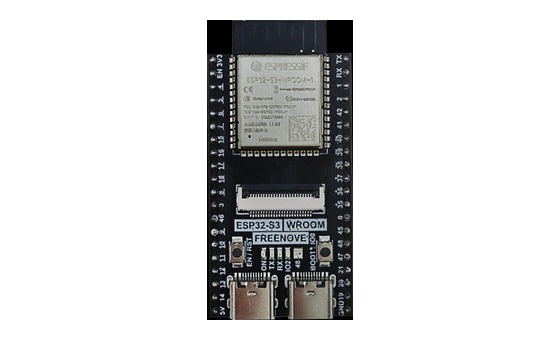
ESP32-S3 board
The brain that runs your uploaded sketch.
ESP32-S3 Lab · Day 26 of 30
Today you build a tiny depth sounder. The HC-SR04 sends a ping you can't hear, then holds a pin HIGH for exactly as long as the sound takes to travel out and echo back. The ESP32-S3 times that pulse and, knowing how fast sound moves, works out how far away things are — the same trick a boat uses to read the water beneath it.
TSK-DAY26-ULTRASONIC
Hand this to an agent so it can pull the lesson packet and coach you step by step.
01 First, know the pieces
Six things, nothing more. Tap Define on any part you haven't met — the answer opens as a field note you can read and dismiss without losing your place.
The brain that runs your uploaded sketch.
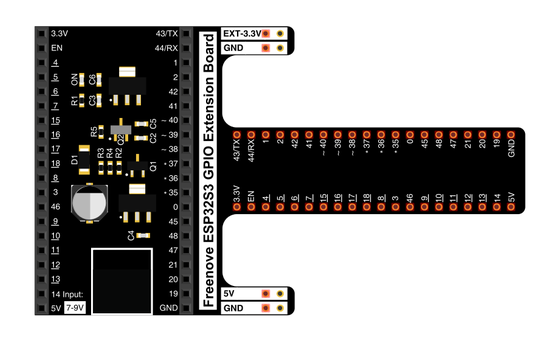
Spreads the pins into rows you can reach and label.
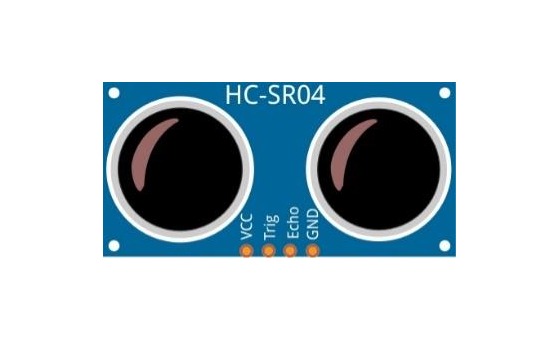
The distance sensor with two round transducers.
Temporary, solder-free connections.
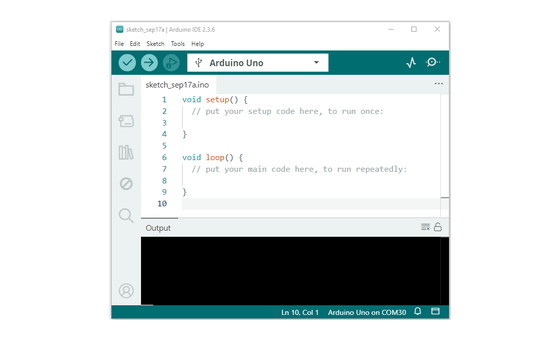
Uploads code and opens Serial Monitor.
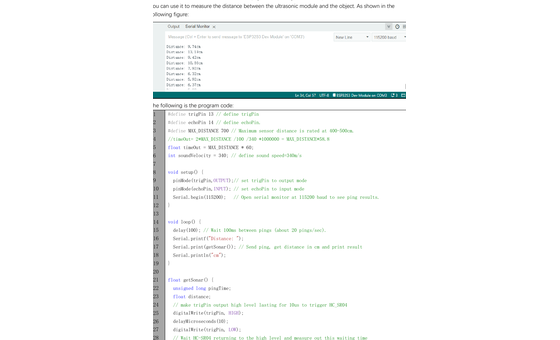
Sketch_19.1_Ultrasonic_Ranging.ino
02 Make the physical circuit
The official Freenove diagram is your chart. Click it to enlarge. Each connection below tells you where the wire goes and why it's there — hover a row to light it up.
Check before power. Keep the sensor pins in the order printed on the module — VCC, Trig, Echo, GND — and unplug USB before you move any wire.
03 One action at a time
This is the main path — you can finish the day without opening a single field note. Tap each step as you go to keep your place.
Place the HC-SR04 so the two round transducers face outward, away from loose wires.
Connect VCC → 5V, Trig → GPIO 13, Echo → GPIO 14, and GND → GND.
Pause and compare your wiring to the chart before powering or uploading.
Open Sketch_19.1_Ultrasonic_Ranging.ino in Arduino IDE.
Upload the sketch to the ESP32-S3.
Open Serial Monitor and set the baud rate to 115200.
Hold a flat object 10–30 cm in front of the sensor and move it slowly closer and farther.
04 Read just enough code
You don't need the whole sketch today — just four lines that carry the whole idea: name the two pins, time the echo, then turn that time into centimetres. Switch to MicroPython if you'd rather see the same idea in Python; the wiring stays the same.
#define trigPin 13
#define echoPin 14

pingTime = pulseIn(echoPin, HIGH, timeOut);
distance = (float)pingTime * soundVelocity / 2 / 10000;
#define trigPin 13Gives GPIO 13 the name trigPin, so the pin's job stays readable wherever the sketch drives it. pulseIn(echoPin, HIGH, timeOut)Starts a stopwatch when Echo rises and stops it when Echo falls, returning the sound's round-trip time — the one measurement everything else is built from. … / 2 / 10000Halves the round trip to get the one-way distance, then scales the microsecond timing down into centimetres. Optional side path · same circuit
trigPin = Pin(13, Pin.OUT, 0)
echoPin = Pin(14, Pin.IN, 0)
Pin(13, Pin.OUT, 0)Sets GPIO 13 as the trigger output — the board's side of the ping.Pin(14, Pin.IN, 0)Sets GPIO 14 as the echo input — where the return pulse arrives.Same pins, same behaviour. Run it in Thonny and compare the printed distance with the Arduino version. If MicroPython isn't set up yet, skip this — it should never block the Arduino-first day.
05 Understand, don't memorise
The trick behind the whole day is that the HC-SR04 measures time, not distance. It fires a sound pulse, then reports exactly how long that pulse takes to reach an object and return. Because sound moves at a known, steady speed, the board can turn that time into centimetres. It's the same idea as counting the seconds between lightning and thunder to judge how far off a storm is — you're timing something at a known speed and reading off a distance.
The board holds Trig HIGH for about 10 microseconds. That short command tells the HC-SR04 to emit a burst of ultrasonic clicks, a pitch far above what you can hear.
The instant the burst leaves, the sensor raises the Echo pin and holds it HIGH. It keeps Echo HIGH for exactly as long as the sound is in flight — out to the object and back again.
pulseIn(echoPin, HIGH, timeOut) starts a stopwatch when Echo rises and stops it when Echo falls. What it hands back is the round-trip time, measured in microseconds.
Sound travels at a fixed speed in room air, about 343 metres per second. Multiply that speed by the round-trip time and you get the total path the sound covered.
The sound went to the object and came straight back, so it covered the gap twice. Divide the total path by two, and you're left with the one-way distance to the object.
distance = speed of sound × echo time ÷ 2
The pulse makes a round trip — sensor to object, then object back to sensor. The raw echo time covers both legs, so halving it leaves the single one-way distance you actually want.
The whole conversion leans on sound moving at a known speed. That speed shifts slightly with air temperature, which is one reason a reading can drift by a little even when nothing has moved.
A flat surface square to the sensor bounces most of the sound straight back, giving Echo a strong, sharp pulse to time. Curved or soft targets scatter the sound, so the return is weaker and the timing less certain.
06 Know it worked
Success and recovery sit side by side, so you never have to go hunting when something looks off.
A good reading changes when you move the object. Small wobble is fine.
07 Make the idea yours
You've got a distance sensor and a claim to test — that timing an echo really does measure length. Hold it to a ruler and see. It fits inside today's 30 minutes.
Stand a book at a ruler-measured 15 cm from the sensor face, read what Serial Monitor reports, then repeat at 30 cm. Close agreement means the time-to-distance math is sound. A steady offset — the reading always a centimetre or two off in the same direction — tells you where the sensor's real zero point sits: the transducer face, not the board edge you measured from.
Aim at a flat wall and note a steady reading. Now swap in a folded towel, or tilt the target to about 45 degrees, and watch the number get weaker, jumpier, or drop to zero. You're seeing the mechanism from the outside: a clean reading needs a strong echo, and soft or angled surfaces scatter the sound away instead of bouncing it back.
08 Learn it with a hand on the tiller
Every lesson ships with a code and a machine-readable packet, so an agent can guide you with full context.
TSK-DAY26-ULTRASONIC
How the agent should behave: guide one physical step at a time and wait for the learner to confirm. Once the circuit is reading, teach the real method — the sensor times an echo and the board converts that time into distance — and make sure the divide-by-two lands. Always check wiring, board, port, and USB before changing code.
Keep your place
Mark it complete — it shows on your course map, and your place is saved on this device.